New handheld gaming devices are releasing monthly, with a variety of looks, specs and budgets. But if you’re on the hunt for a portable PC that packs a punch, I’m here to introduce you to the Lenovo Legion Go.
This mobile powerhouse is designed to deliver console-level gaming performance on the go. But does it live up to the hype?
Performance: Power at Your Fingertips
The Lenovo Legion Go isn’t messing around when it comes to performance. With its AMD Ryzen Z1 Extreme processor and RDNA 3 (AI-boosted graphics), it’s essentially a gaming PC in the palms of your hands.

Its processing power is not too different from the ASUS ROG Ally, both featuring the same internals.
READ MORE: Review | Helldivers 2 ‘Explosive and Incredible Game Design’ (PS5)
Whether you’re diving into the latest titles or revisiting classics, the Legion Go handles gaming with finesse.
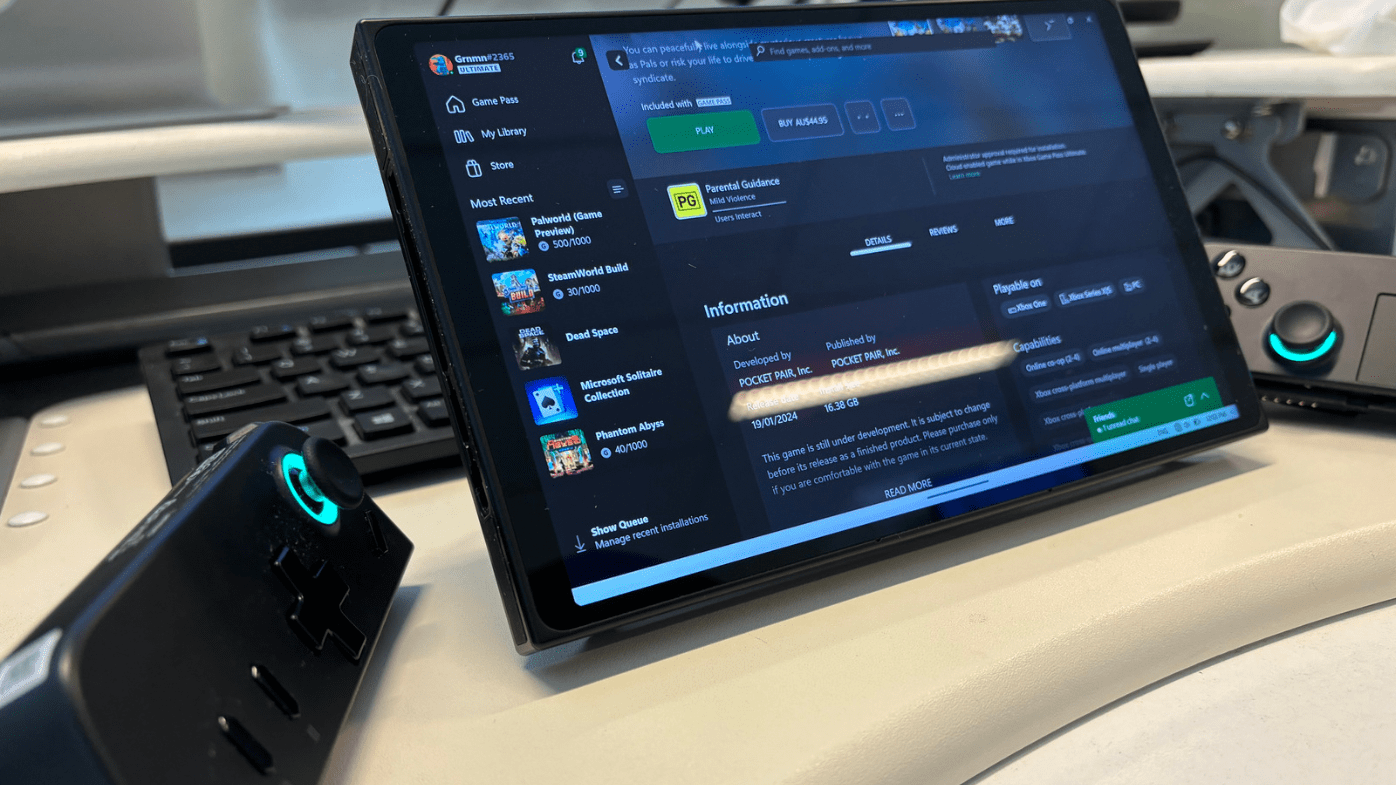
I tested a variety of games. From the latest on Game Pass like Pal World, to the Dead Space Remake and Forza Motorsport; it can run most games without a problem.
For a handheld, I almost feel like it’s too powerful; I don’t need 144Hz performance in a portable, but each to their own. That said, you won’t get it with every game.
It also features Nintendo Switch-like detachable controllers, but I wasn’t into the feel of them on their own. These controllers are intended for versatile playstyles, including an FPS mode which allows for precise aiming via an optical eye, akin to using a mouse, for competitive gaming sessions.
Detaching the controllers can also be a bit fiddly; they do not come out as smoothly as the marketing video illustrates.
Design and Features: Sleek Yet Functional
The Legion Go sports a sleek design with a large, 8.8-inch QHD touchscreen display — it’s super crisp. However, it’s a bit heavier than similar handhelds, weighing almost three times more than a Nintendo Switch.
READ MORE: Review | Belkin BoostCharge Power Bank 10K
On the bright side, it offers a variety of ports for connectivity, including a headphone jack, USB-C connections, and more.

Plus, it can transform into a fully functioning desktop computer running Windows 11, adding versatility to its repertoire.
To manage your games on the Legion Go, Lenovo created Legion Space, a tool that aggregates your various game launchers and manages your device settings. I didn’t overly enjoy this UI and opted to close it and run the games directly through Steam and Xbox Game Pass.
Annoyingly, this app automatically launches every time you boot up the Legion Go.
The battery will easily last you a few hours, but of course, if you’re running at higher settings it’ll drain faster.
Value: Is It Worth It?
Overall the Lenovo Legion Go is a great handheld, offering plenty of functionality, but is a bit more complex to operate than other similar devices.
It may come with a premium price tag, but for gamers who prioritise performance and versatility, it may be worth the investment. Retailing from $1,499, it’s the same price as a low to mid-range PC.
READ MORE: Gaming hotel suite opens in Melbourne
If you’re on a tight budget, you might want to explore other options. Ultimately, whether the Legion Go is worth it depends on your gaming needs and preferences.

The Lenovo Legion Go is a solid choice for gamers who want to enjoy high-performance gaming wherever they are. While it has its faults, such as weight and controller detachment issues, its powerful specs and versatile features make it a compelling option for gaming enthusiasts.
So if you’re ready to level up your handheld gaming experience, the Legion Go might just be the device for you.
Lenovo supplied a loan unit of the Legion Go to Quest Daily for the purpose of this review.