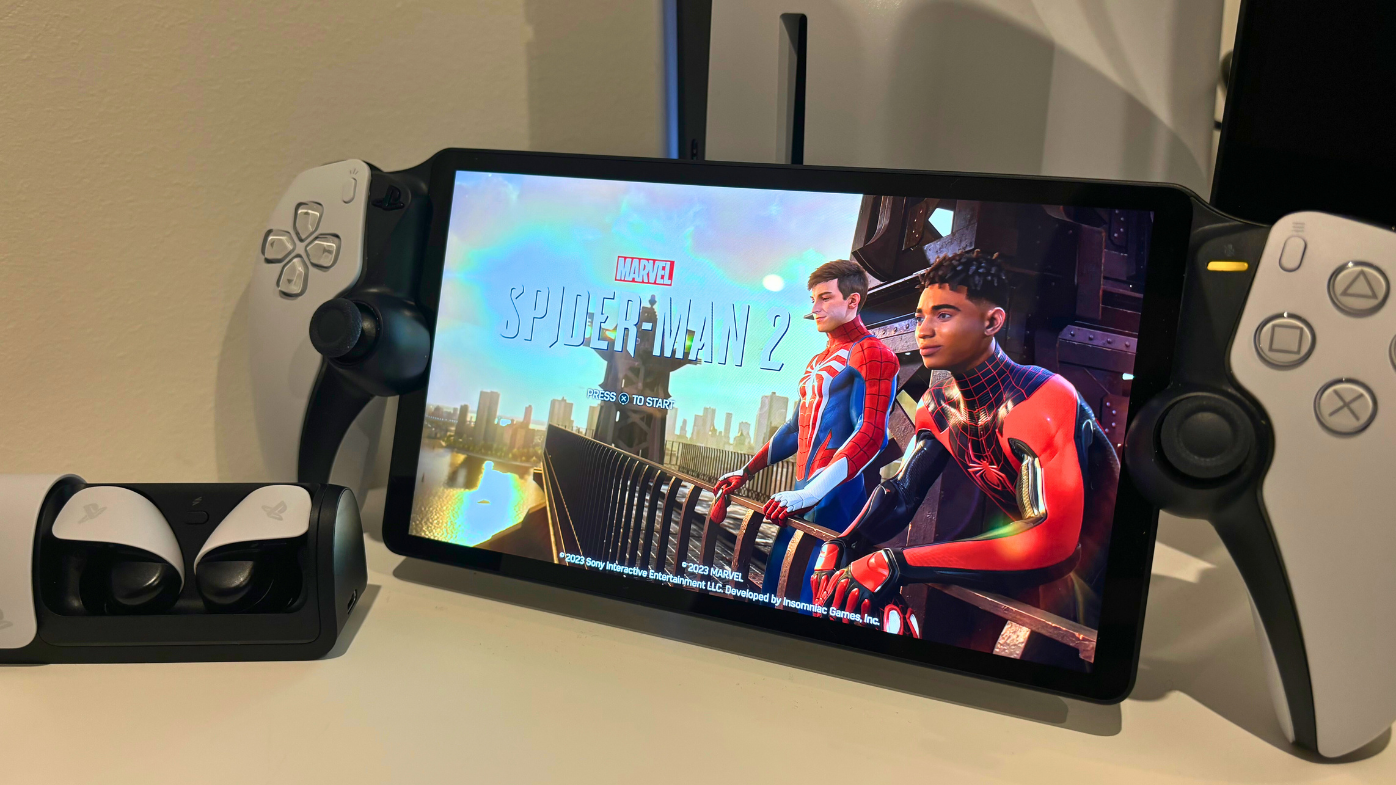
PlayStation’s newest handheld device is coming next month, but there’s a world of questions surrounding its place in the Aussie market.
Will it work on the typical Australian internet connection? Is it going to be worth the price?
The PlayStation Portal is not the next PSP or Vita, this new gaming device streams your PS5 directly to it from anywhere in the world over the internet.
It’s quite the technological marvel.
READ MORE: Review | PlayStation PULSE Explore Wireless Earbuds
This Portal has already been released in the US and UK, selling out on day one and boasting rave reviews.
It’s now coming to Aussie retailers on February 2nd, with preorders open. It’ll set gamers back $329.95 AUD.

Thanks to PlayStation, I had the privilege of testing it out and I’m excited to tell you all about it.
Here’s the results of my hands-on experience, and answers to questions many of you sent through on social media.
How stable is the Portal’s connection on Australian internet?
It’s not all about your internet speed, it’s more about your internet’s stability.
Though, PlayStation does recommend a minimum 5mbps internet speed. 5GHz is also recommended to use for the Wi-Fi connection.
For a typical Aussie household using Wi-Fi to connect to their PlayStation 5 console, you’ll have a mostly smooth experience.
While my partner was streaming movies on the same network, I had a hard time keeping a stable connection. But when I had the house to myself, the Portal worked like a dream, with only minor and very short dropouts.
My home internet speed is over 250mbps, so the issue didn’t lie there. Wi-Fi stability was my enemy — and I’ve just moved house so everything wasn’t connected to perfection.
READ MORE: Review | Spider-Man 2 (PS5)
To improve my connection, I linked my PlayStation 5 directly to the modem via Ethernet cable. Success – almost no more dropouts and a phenomenal experience. It’s essential to game with the Portal over a wired internet connection to your PS5 console.

If you’re utilising your network provider’s supplied gear, you could require a modem upgrade. This is especially important if you plan to game in a busy internet home.
To improve my setup, I swapped out my NBN provider’s supplied modem with something beeifer. Thanks to Netgear, I got to take the Nighthawk WiFi 7 TriBand Router for a test drive.
Using this router improved my connection speed, stablised my home network and made me realise what I’ve been missing out on. But these things don’t come cheap! The Nighthawk Wifi 7 retails for just under $1,500.
Try the Ethernet connection first and see how you go, but in the long term, a new modem upgrade could be a huge quality-of-life booster.
Does the PlayStation Portal work over a mobile phone hotspot?
Tethering your iPhone or Android device to the Portal works well, as long as you’ve got a strong 5G connection.
I took the Portal out to Melbourne’s CBD and with full reception had barely a stutter.
After handing the Portal to my daughter in the backseat on the drive home, she played the whole way, with only a minor dropout as we travelled under a bridge.

How long does the PlayStation Portal’s battery last?
Around four hours, and that’s without headphones and with all DualSense features activated and on high. Colour me impressed.
READ MORE: Review | The PlayStation Access Controller
The Portal isn’t being strained by the PlayStation 5’s CPU, meaning it’s main power focus is on the Full HD display, DualSense, internet connectivity and audio.
How long does it take to charge the Portal?
Connected to a wall adapter via USB-C, you’ll get 50 per cent charge in around 40 minutes, and a bit over an hour for a full battery.
How are subtitles and game text on the Portal’s screen?
Fantastic. The screen is large, bright and vibrant. I had no issues at all with in game text and subtitles with the Portal. Most new games these days include accessibility options to customise subtitles to your liking, so if you do struggle to view on screen text it’s worth playing around with those settings.
How’s the Portal’s controller?

It’s very familiar, as it’s essentially the same controller I’ve been gaming with on my PlayStation 5 for years now.
The Portal has an adapted DualSense controller, with slightly smaller thumbsticks.
Games like Marvel’s Spider-Man 2 and God of War: Ragnarok are a joy to play, but it took some getting used to when jumping off the Battle Bus for some Fortnite.
Thumbstick sensitivity settings may need adjusting.
How do you use the touchpad?
The screen can be used to type, which is a great feature. It’s also used to open the Portal’s user interface and as the controller touchpad.
I found myself wishing there was an option to change how the touchpad is activated, as you have to slowly tap twice in the Portal’s case, making things slower than with a standard controller. You also can’t utilise some touchpad specific features to their full potential.
Can you connect headphones to the Portal?

Yes, you can. There’s a 3.5mm jack and PlayStation’s new Pulse range of headphones sync to the Portal with the press of a button.
Unfortunately, you can’t connect any Bluetooth headset to the device, it has to be PlayStation Link supported range or wired.
Can I watch a streaming service like Netflix or Stan on the Portal?
No, the Portal doesn’t support video or music streaming from your console to the device. You’re also unable to play any Blu-rays from your console.
I’m a big Spotify listener on my PlayStation 5 and would love to see this feature added in the future.
In saying that, I have a workaround. The PlayStation Pulse range has dual Bluetooth connectivity, meaning you can have your phone and the Portal connected to it at the same time.
Can the TV my PS5 is connected to still be used while playing on the Portal?
Yes, it can, though you can’t use your PlayStation and Portal at the same time. The Portal is streaming directly from your console to the handheld device, mirroring what’s on the screen.
READ MORE: Preview | Skull and Bones Closed Beta (PlayStation 5)
Does the Portal get hot after using it for long periods?
Not really! The screen gets warm, but the back of the device stays relatively cool. As the device doesn’t require a whole lot of computing power, it doesn’t work as hard as other gaming devices.
Can you use the PlayStation Portal while travelling overseas?
I haven’t had the privilege of testing this out, but theoretically, if your internet connection is strong enough you should be able to connect to your console back home. If anyone tests this out, please let me know!
How does the Portal compare to the Backbone One controller?

The Backbone controller utilises PlayStation’s Remote Play feature, much like Portal. It’s tech that’s been bubbling away for many years now, it’s just now PlayStation has reached a new age.
While the Backbone is similar in the sense that it connects remotely to your PlayStation, it’s an inferior experience.
READ MORE: Review | PlayStation Backbone One (Android Edition)
I’ve used the Backbone One on my iPhone for a while now, and it had its moments. The Portal also frees up your mobile device, offering a beautiful crispy display and the addition of the DualSense controller.
How much is the PlayStation Portal and is it worth the price?
The PlayStation Portal retails for $329.95 in Australia, about the same price as a Nintendo Switch Lite. The Portal isn’t offering much in terms of standalone power and performance, but it’s a welcome accessory to the PlayStation 5 lineup.
Is the Portal perfect? No, but it’s an exceptional piece of technology and just a taste of the future of gaming. If you’re a gamer on the go, the Portal is a no-brainer.
The PlayStation Portal will be released in Australia on February 2. If you have any questions about the Portal feel free to reach out to me on X.
PlayStation Australia supplied Quest Daily with an early access unit on loan for the purpose of this article.